
Time Tracking Software for Canadian Businesses
Log hours in a weekly timesheet or run a timer, see every project's time at a glance, and turn unbilled hours into an invoice draft with GST/HST added for your client's province.
- Free
- No credit card required
- Built for Canadian businesses
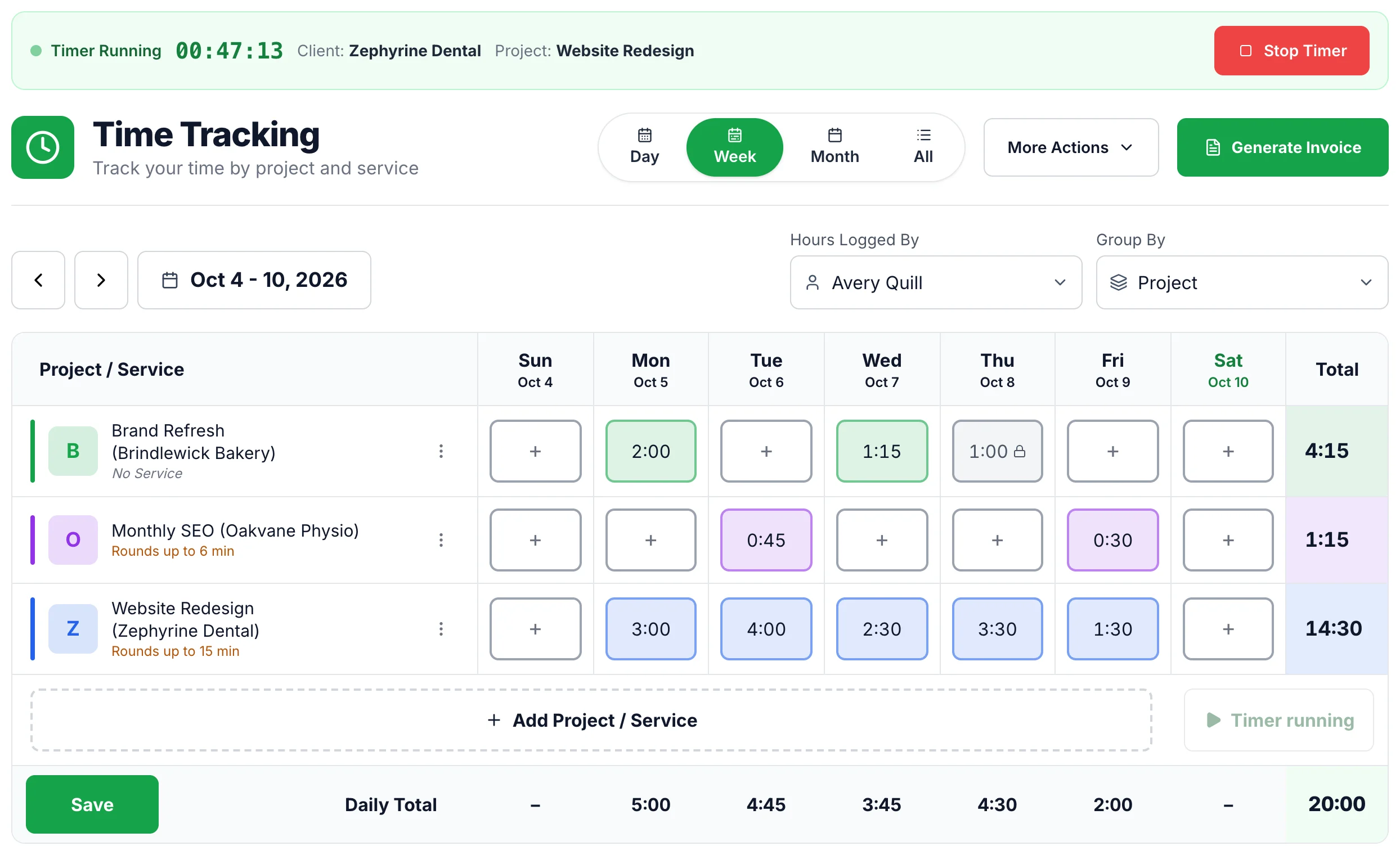
How time tracking works in iBill
From the first hour you log to the invoice your client receives, it all happens on one page. Here is the whole flow with real screens (the business and clients in the pictures are examples).
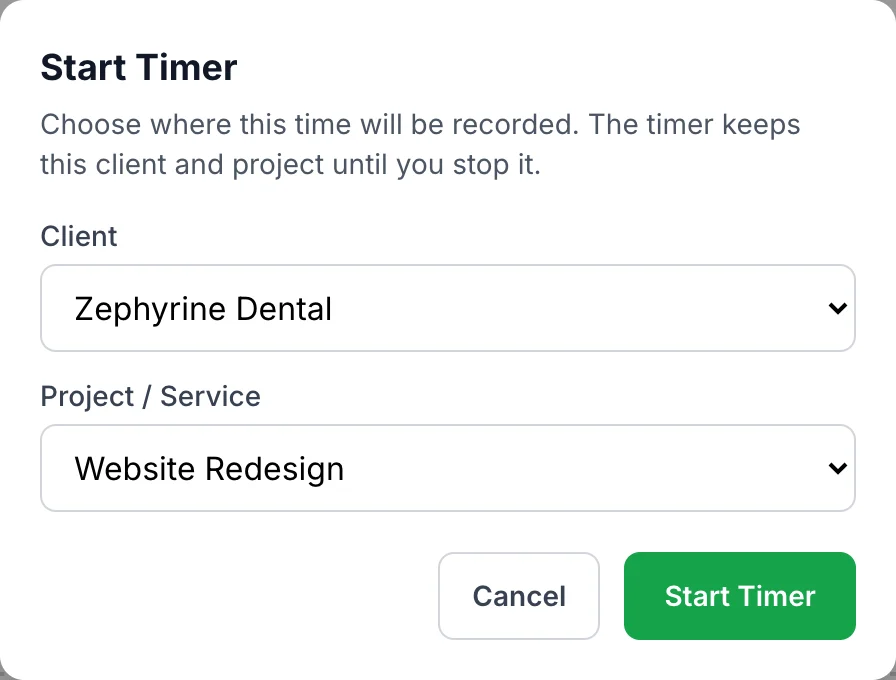
Pick the client and project
Every hour belongs to a project, and every project belongs to a client with an hourly rate. Press Start Timer and iBill asks which client and project the time is for before anything starts, so time never lands on the wrong job.
New client or project? Add it from the same page without leaving the timesheet. Set up rates, budgets and rounding on the Projects page.
Type your hours, or let the timer count
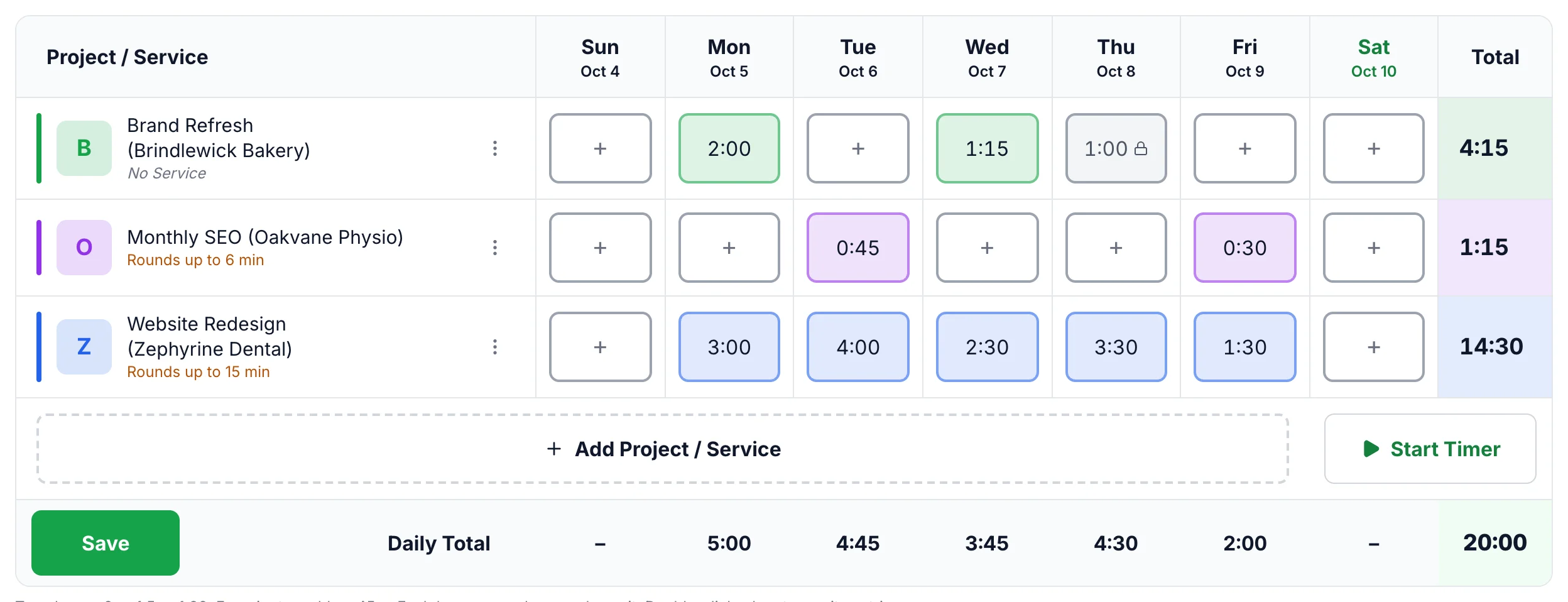
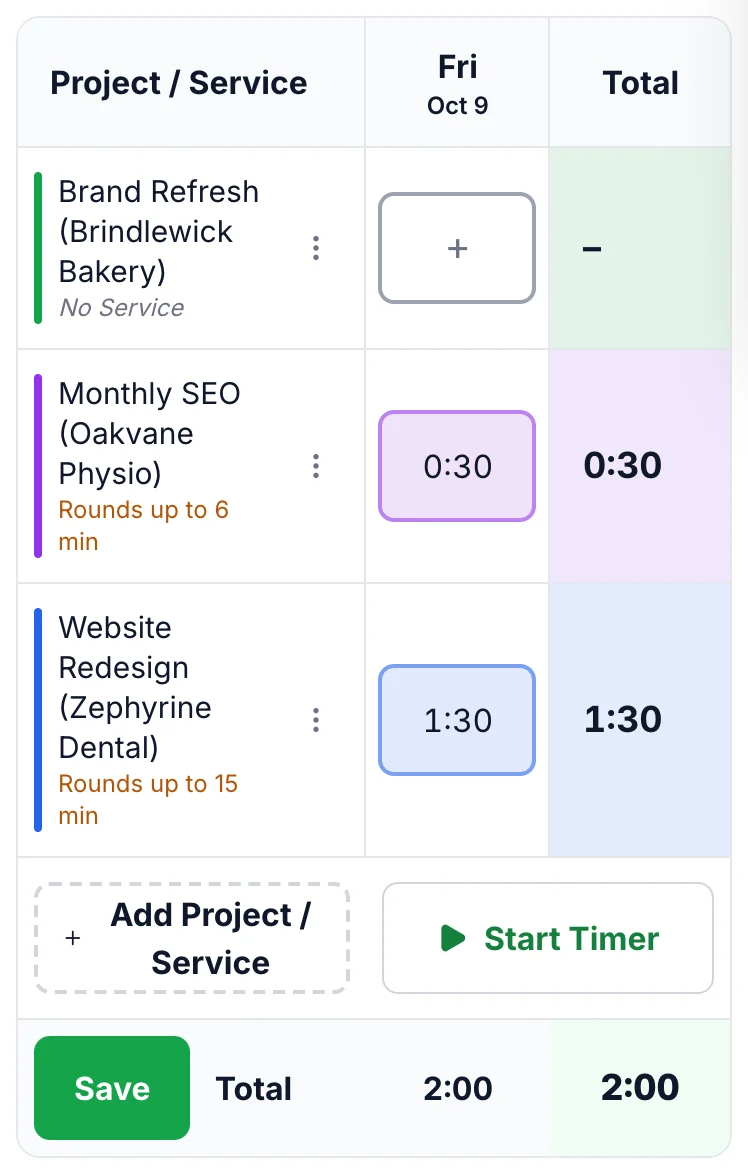
Click a box under the day and type the time the way you think about it:
2or1.5for hours1:30for hours and minutes45mfor minutes
Each box saves when you leave it. A plain number above 12 makes iBill ask whether you meant minutes, so typing 135 for two hours and fifteen minutes never turns into a 135-hour invoice. You also can't type more than 24 hours into one day for one person.
See the week at a glance
Switch between Day, Week, Month and All, and group rows by project or by client. Row and daily totals update as you type.
The timesheet also warns you before you bill: a project close to its hour budget, a project with no hourly rate, and the rounding each project uses. Time that is already on an invoice shows a lock and can't be changed by accident. Double-click any box to see the entries behind it.

Turn unbilled hours into an invoice
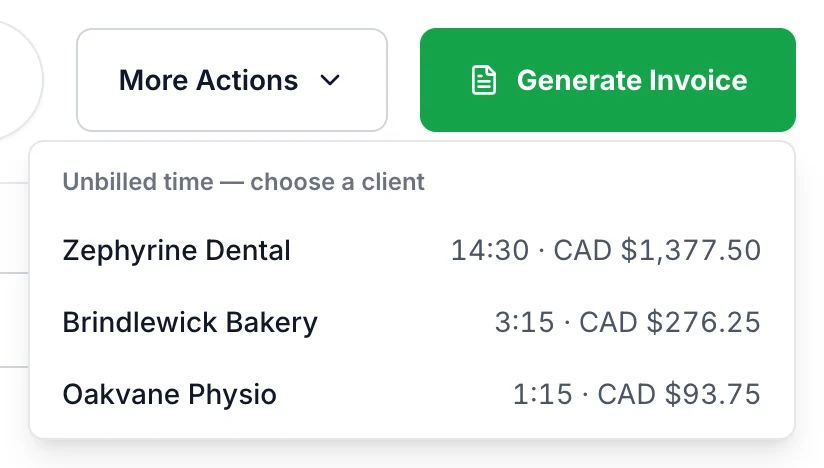
Press Generate Invoice. iBill lists every client with unbilled time, from any date, with the hours and the amount waiting to be billed.
Pick a client and iBill creates an invoice draft from that time, one line per entry or grouped by project, or adds the time to a draft invoice you already have. GST/HST is added for your client's province. You review the draft, then send it.
Everything you need to bill your time
Built for people who sell their hours: consultants, designers, developers, bookkeepers and trades who bill by the hour.
Weekly timesheet
Type hours straight into a grid of projects and days. No forms to open for every entry.
A timer that keeps going
The timer runs on iBill's servers. Close the tab or switch devices and it keeps counting until you stop it.
Rounding per project
Bill in 6, 15 or 30-minute blocks, or exactly as recorded. Each project keeps its own setting.
Budgets and rate warnings
See when a project nears its hour budget, and catch a project with no rate before it bills $0.
No double billing
Billed time is locked. Void an invoice and its time is released; correct it and the time moves to the new invoice.
Copy last week
Same projects every week? Copy last week's rows and just fill in the hours.
GST/HST done for you
Invoices from tracked time get tax for the client's province, and none for a client outside Canada.
Your notes stay with the project
Keep scope, contacts and agreed rates in the project's notes, right from the timesheet's menu.
Track time from your phone
On a phone the timesheet switches to a one-day view that fits the screen. Log hours between jobs, start the timer when you arrive on site, and stop it from your laptop later.
- Works in your phone's browser, nothing to download
- Add iBill to your home screen to open it like an app
- Same timesheet, same timer, on every device
Time tracking questions
Is iBill's time tracking free?
Yes. Time tracking is included in iBill at no cost, and no credit card is required. The weekly timesheet, the timer and invoicing from tracked time are all part of the same free account.
Can I use a timer and also type hours in by hand?
Yes. Type hours straight into the weekly timesheet (2, 1.5, 1:30 or 45m all work), or press Start Timer, choose the client and project, and stop it when you finish. Both end up in the same timesheet.
What happens if I close my browser while a timer is running?
The timer keeps counting. It runs on iBill's servers, not in your browser tab, so you can close the tab, switch devices and stop it later from any device. If you log out while a timer is running, iBill asks whether to stop it first.
How do I turn tracked time into an invoice?
Press Generate Invoice on the Time Tracking page. iBill lists every client with unbilled time, from any date, with the hours and the amount. Pick a client and iBill creates an invoice draft from that time, or adds the time to a draft invoice you already have. You review the draft before sending it.
Does iBill add GST/HST to invoices made from tracked time?
Yes. Tax is added from your client's province, the same way as on any other iBill invoice. For a client outside Canada you can choose Outside Canada, and no Canadian tax is added.
Can I round my time to 6, 15 or 30 minutes?
Yes. Each project has its own rounding setting: no rounding, 6 minutes (a tenth of an hour), 15 minutes or 30 minutes. The timesheet shows the rounding next to the project so you always know how a box will be billed.
What happens to time on an invoice I void or correct?
Billed time is locked so it can't be billed twice. If you void the invoice, its time becomes unbilled again and can go on a new invoice. If you correct the invoice, the time moves to the corrected invoice.
Can I track time on my phone?
Yes. Open iBill in your phone's browser and the timesheet switches to a one-day view that fits the screen. You can also add iBill to your home screen so it opens like an app.
Related
Start tracking your time today
Free, no credit card required. Your first timesheet takes a minute to set up.
Start tracking free