
Features
Pricing
Reviews
Resources
Accounting
Login
Invoice Generator
Start Free
Stripe integration on every invoice. Your Stripe account, your bank deposits, no platform fee added by iBill.ca.
Start Free →Join 1,200+ Canadian Businesses · No platform fee added by iBill.ca
Three steps to start accepting online payments. Your Stripe account stays yours — iBill.ca never holds your funds.
Go to Settings › Online Payments in iBill.ca and click Connect Stripe. Create a new Stripe account or link an existing one in about 5 minutes. Stripe handles business verification directly.
Create and send any invoice the way you normally would. A Pay Online button automatically appears on the invoice PDF, the email, and the client portal — no extra steps needed.
Your client pays via Stripe's secure payment page. Stripe processes the payment and deposits it directly to your Canadian bank account. iBill.ca automatically records the payment and updates your accounting ledger.
When your client clicks Pay Online, they're taken to Stripe's secure payment page. Stripe handles the transaction end-to-end — what Stripe supports is documented at stripe.com/payments.
iBill.ca connects to your own Stripe account via Stripe Connect. You hold the relationship with Stripe, not iBill.ca. Funds settle directly to the bank account linked to your Stripe account.
Direct to youAfter the first payment (with client consent), iBill.ca can charge the same payment method off-session when the next recurring invoice is issued — no manual step required.
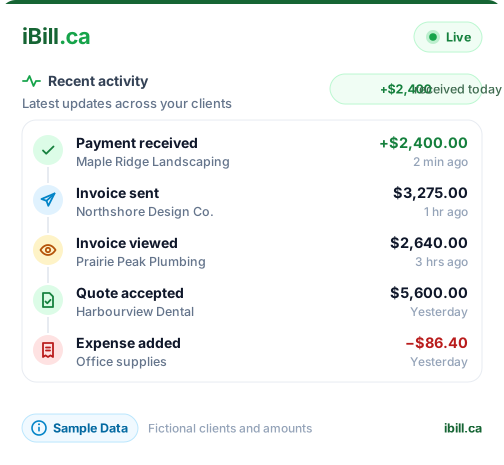
Auto-chargeSuccessful payments flow back via Stripe webhooks. iBill.ca automatically marks the invoice paid, creates a payment record, and posts the accounting journal entries.
Zero manual workiBill.ca does not take a cut of your payments. You pay only Stripe's standard Canadian processing fees, charged directly by Stripe. We don't mark up or skim.
Stripe Connect Standard means the funds move from Stripe to your Canadian bank account — iBill.ca never holds, touches, or routes your money.
Every Stripe payment creates a complete double-entry journal entry: bank debit, revenue credit, and separate lines for GST, HST, PST, or QST collected.
Invoice clients in CAD, USD, EUR, or GBP. Stripe handles currency conversion and deposits the converted amount to your Canadian bank. See multi-currency invoicing.
The Stripe processing fee on each payment is tracked automatically in iBill.ca and expensed to your P&L. Your year-end tax prep stays accurate without manual reconciliation.
For subscription-style billing, retainer clients, or monthly service agreements, iBill.ca can automatically charge your client's saved payment method each billing cycle — no manual send-and-follow-up.
How it works:
Auto-charge uses whatever payment method your client used the first time, subject to what Stripe supports. See stripe.com/payments for Stripe's current capabilities.
Connect Stripe in about 5 minutes. All features included, free.
Start Free →No credit card required · No platform fee · Direct deposit to your Canadian bank