
Project Management and Billing for Canadian Businesses
Give every client job its own number, budget and rates. Track time and expenses against it, see what is still unbilled and what the job earns, and bill it in one step.
- Free
- No credit card required
- Built for Canadian businesses
How projects work in iBill
A project ties a client job together: the time you log, the expenses you buy for it, the deposit the client paid, and the invoices you send. Here is the flow with real screens (the business and clients in the pictures are examples).
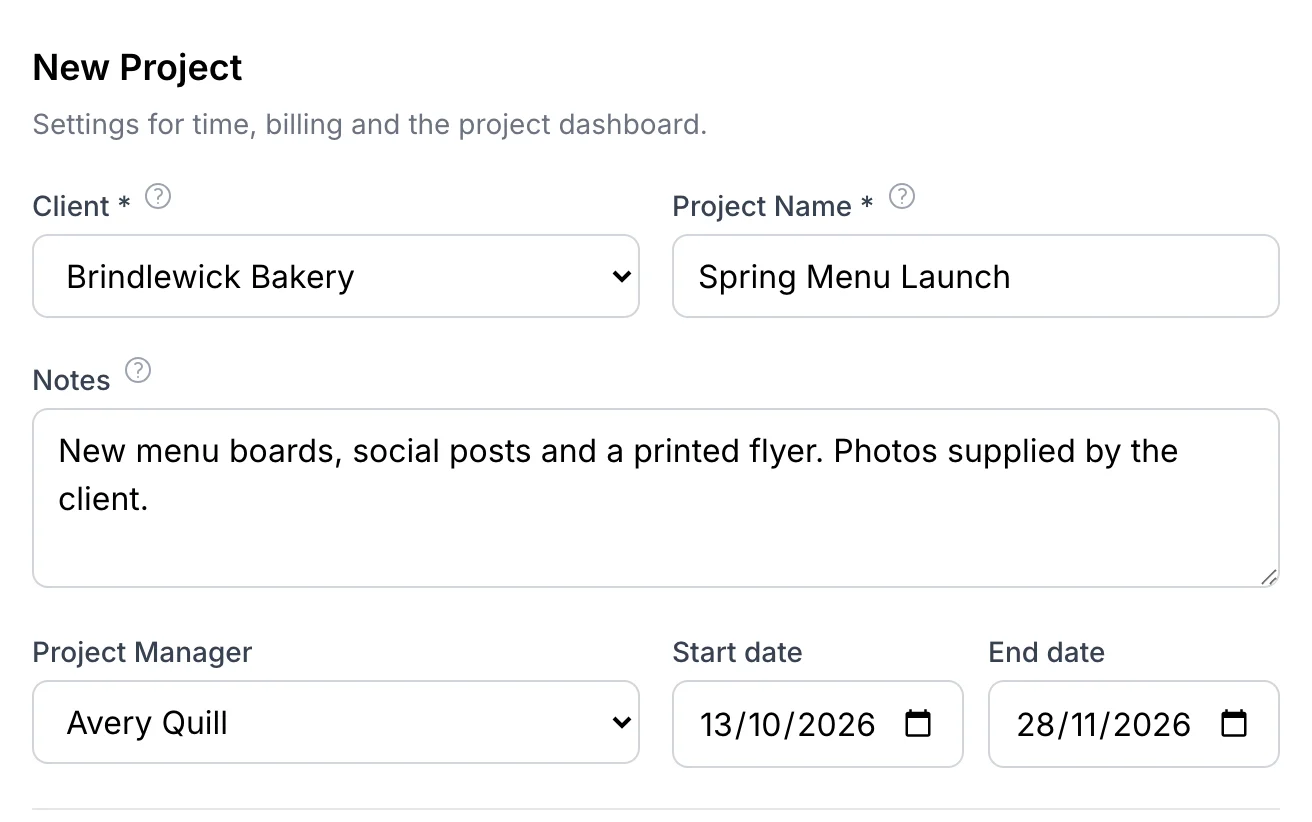
Create the project
Choose the client, name the job and add notes: scope, contacts, what was agreed. Every project gets a number like PRJ-2026-0042, start and end dates, and a project manager.
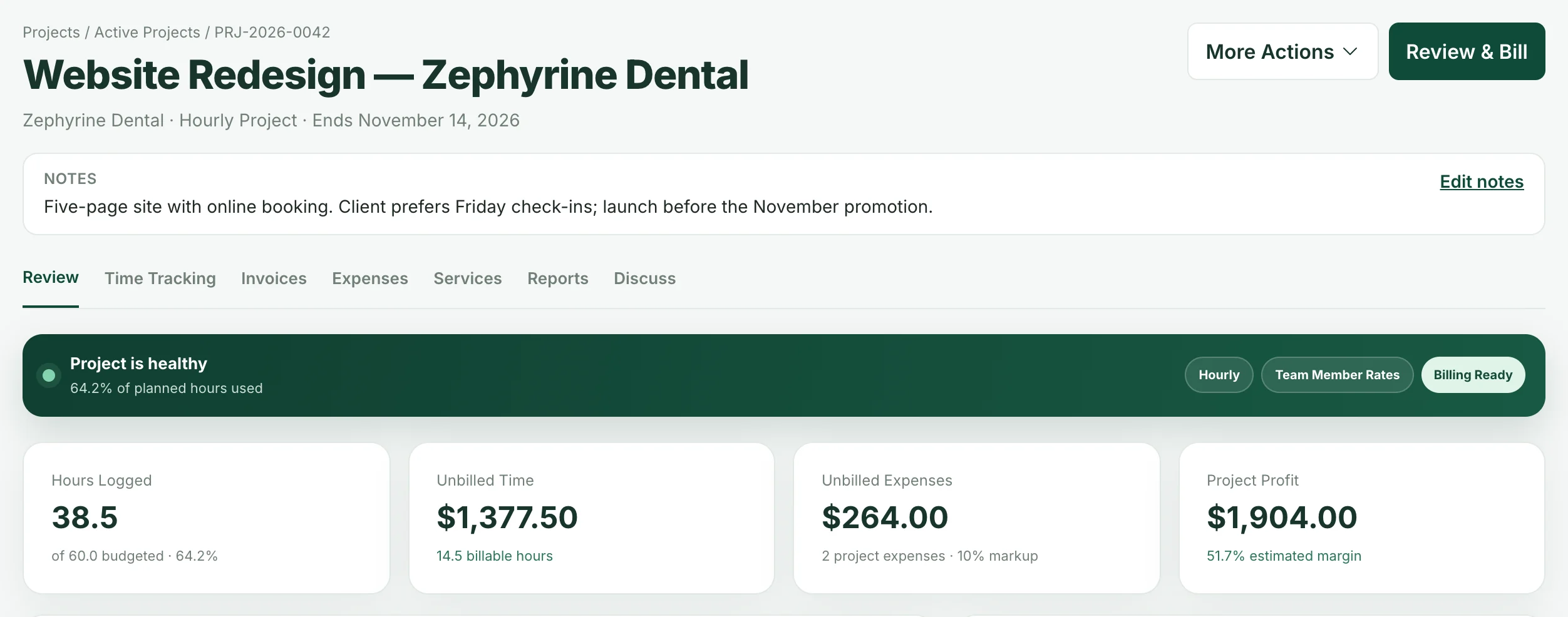
Pick the type: hourly, fixed price or non-billable for internal work. The dashboard then shows hours against the budget, unbilled time and expenses, and the estimated profit.
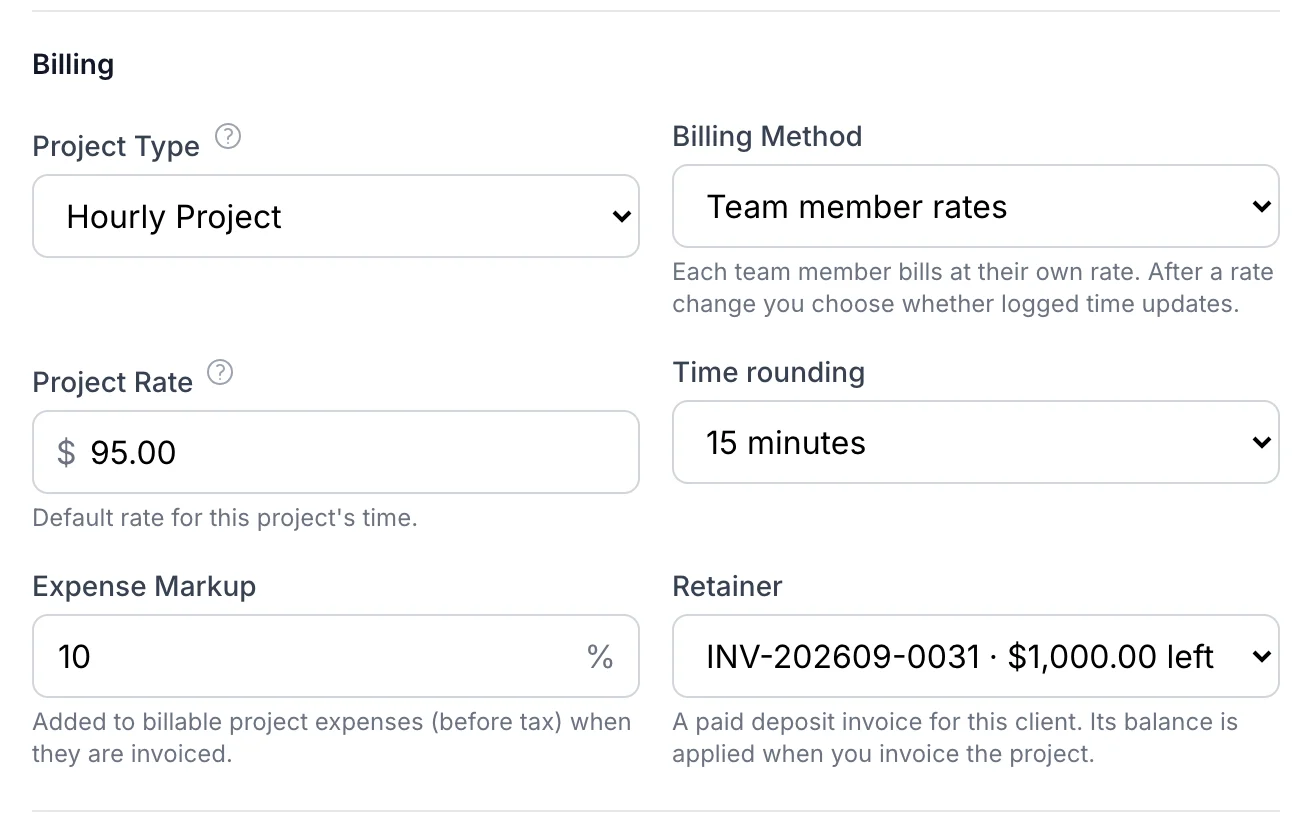
Decide how it bills
- Billing method: one project rate, a rate for each service, or a rate for each team member.
- Time rounding: none, 6, 15 or 30 minutes.
- Expense markup: added to billable expenses (before tax) when they are invoiced.
- Retainer: a paid deposit invoice whose balance is applied when you bill.
Change a rate later and iBill asks whether to update the time already logged. Only unbilled time can change; billed time keeps its rate.
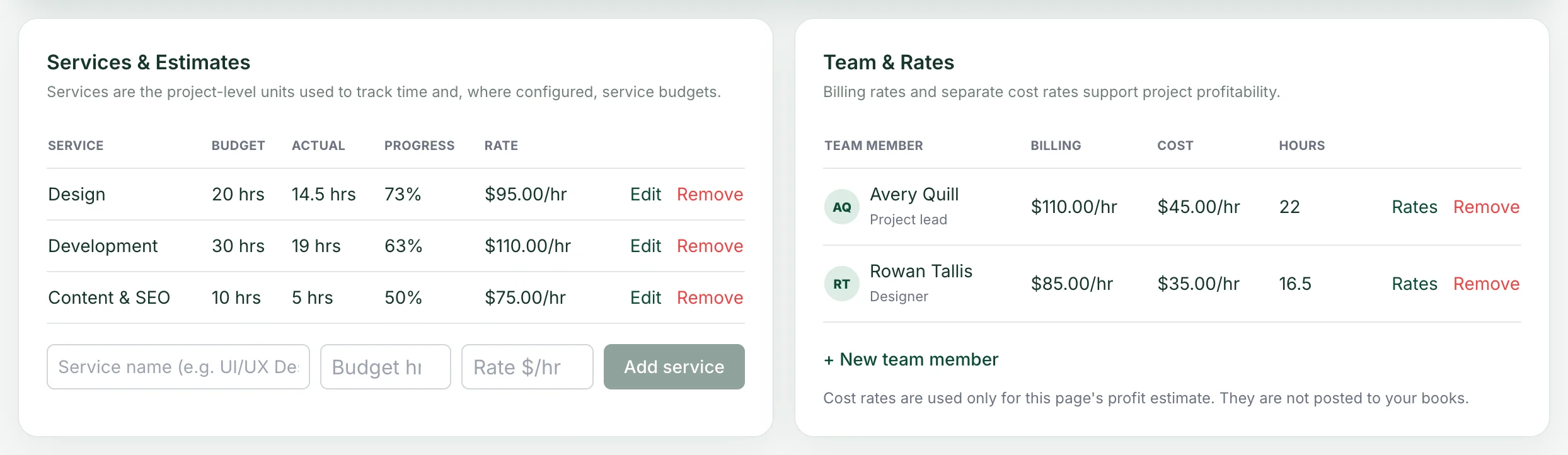
Plan services and your team
Split the job into services such as Design, Development or Content, each with an hour budget and a rate. iBill shows the hours used and the progress of each one.
Add the people whose time you track with a billing rate and a cost rate. Cost rates are only used for the project's profit estimate; they are not posted to your books.
Review & Bill in one step
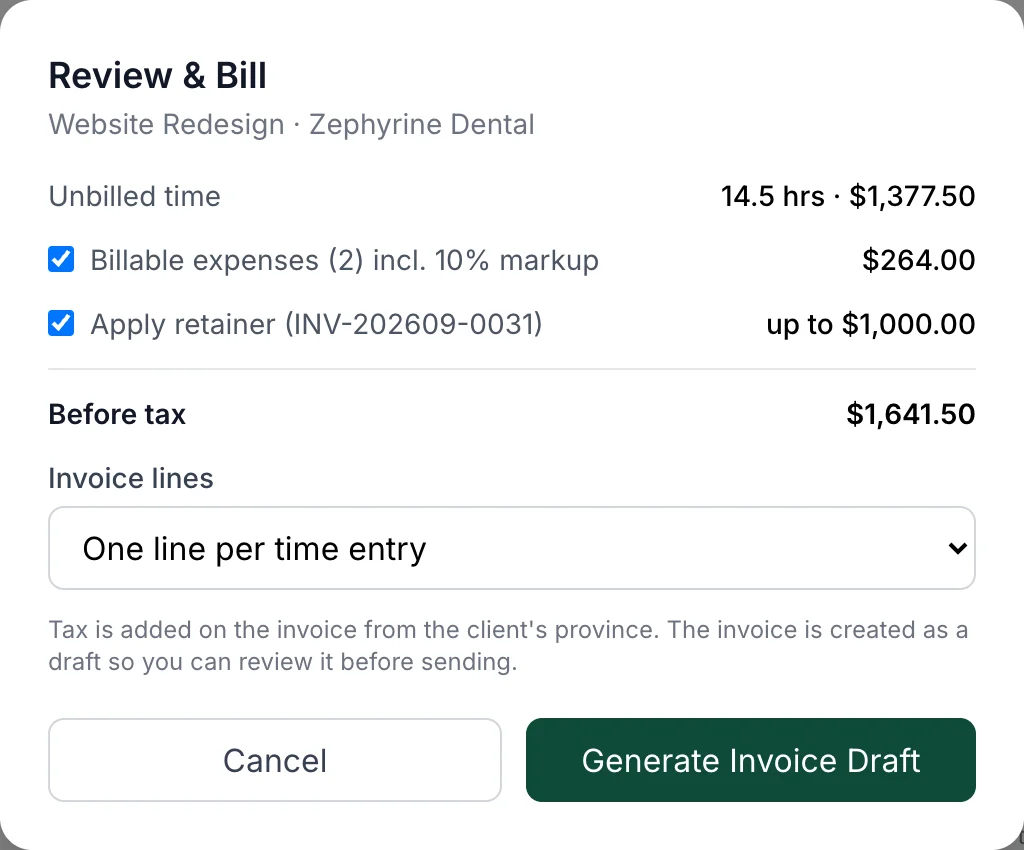
Log time on the Time Tracking page and add billable expenses as the work happens. When it is time to bill, press Review & Bill.
iBill shows the unbilled time, the billable expenses with your markup and the retainer to apply, then creates an invoice draft with GST/HST for the client's province. You check it and send it.
Everything a client job needs
For agencies, consultants, designers, developers and trades who run several client jobs at once.
Project health at a glance
Hours against budget, unbilled value and a clear Billing Ready signal on every project.
Estimated profit
Billing rates against your team's cost rates show what the job earns. An estimate for you, never posted to your books.
Notes on every project
Scope, contacts and agreed rates in one place, on the project page and the timesheet. Not printed on invoices.
Discussion and files
Keep messages and files about the job on the project's Discuss tab, with its activity history.
Expenses with markup
Billable expenses go on the invoice at their amount before tax plus your markup.
Retainers applied for you
Link a paid deposit invoice to the project, and its balance is applied when you bill.
Statuses that match your work
Mark a job completed, reopen it, or archive it. Duplicate a project to start a similar job in seconds.
History is never lost
A project with logged time can't be deleted. Archive it and every hour, expense and invoice stays.
Project management questions
Is iBill's project management free?
Yes. Projects are included in iBill at no cost, and no credit card is required. Time tracking, expenses and invoicing work with them in the same free account.
How can a project bill its time?
Each project uses one of three billing methods: a single project rate, a rate for each service (for example Design and Development), or a rate for each team member. A project can also be hourly, fixed price or non-billable.
Can I bill expenses to a client with a markup?
Yes. Mark an expense as billable on the project and set an expense markup percentage. When you bill the project, the expense goes on the invoice at its amount before tax plus your markup.
How does a retainer work?
If the client paid a deposit invoice, choose it as the project's retainer. When you bill the project, iBill applies the deposit's remaining balance to the new invoice.
What happens to logged time when I change a rate?
iBill saves the new rate and asks whether to update the time already logged. Only unbilled time can change; time that is already on an invoice keeps its rate.
Is the project profit posted to my books?
No. Project profit is an estimate for you, based on the billing rates and the cost rates you enter for your team. It is never posted to your accounting.
Can my team members log in?
Team members in iBill are the people whose time you track, with their own billing and cost rates. They are not separate logins. You can invite your accountant to view your books with read-only access.
Can I delete a project?
Yes, if no time has been logged on it. A project with logged time, expenses or invoices can be archived instead: it leaves your project lists and all of its history stays.
Related
Run your next client job in iBill
Free, no credit card required. Set up your first project in a couple of minutes.
Start your first project